

Best AI Coding Assistants in 2026
Most “best AI coding assistant” lists read like spec sheets. Pricing tiers. IDE logos. A paragraph about autocomplete. You’ve seen them a hundred times.
Here’s what almost none of them mention: the number that should actually change your mind.
Developer trust in AI-generated code just hit a three-year low. Even as adoption climbed to 84%, the gap between using the tools and believing what they produce is the real story in 2026. And it changes how you should make your choice.
This guide walks you through which tool is best for which kind of work. Then I’ll give you the verification habits that matter more than any single decision.
What’s Actually the Best AI Coding Assistant Right Now?
There isn’t one. Not for everyone.
Claude Code leads for multi-file reasoning and tough debugging.
GitHub Copilot dominates for fast inline completion inside existing GitHub workflows.
Cursor wins for developers who want an AI-first editor.
Your pick depends on whether you need speed, depth, or repository-wide context. The sections below break that down by use case.
Assistant or Agent? Know What You’re Actually Buying
An AI Pair-Programming Assistant reacts to you. Completes a line. Answers a question in chat. Explains a function. You stay in the driver’s seat the whole time.
An AI Coding Agent works differently. Give it a goal instead of a keystroke. It can read a repository, plan changes across multiple files, run tests, and hand back a diff for review.
GitHub Copilot, Cursor, and Replit started as assistants and grew agent modes on top.
Claude Code, Codex, and OpenCode were built agent-first; the terminal or a task queue is the primary interface, not an editor sidebar.
Neither category is inherently better.
A solo developer polishing a small script rarely needs an agent planning across a dozen files. A team clearing a backlog of similar bug tickets often does.
Confusing the two categories? That’s the single most common reason a new tool disappoints on day one. And it’s also why the next number matters more than any feature list.
The Real Problem in 2026 Isn’t Picking a Tool, It’s Trusting What It Writes
Stack Overflow’s 2025 Developer Survey surveyed more than 49,000 developers across 177 countries. AI tool use had risen to 84% of respondents, up from 76% the year before.
But here’s the kicker. More developers now distrust the accuracy of AI output than trust it. Only a small fraction reported they highly trust what these tools produce.
What frustrates developers most?
AI solutions that look almost right but aren’t. And debugging AI-generated code is often more time-consuming than writing it yourself.
That pattern should reorder your priorities.
A tool that writes fast, confident code you can’t verify quickly is worse than one that writes a little slower but explains itself.
This is where the best AI coding assistant for your team stops being a pricing question and starts being a review-workflow question.
Before you roll a tool out past a pilot, decide:
- Who reviews its output?
- What gets auto-merged versus manually checked?
- Which categories of change, auth, payments, data migrations, never skip human review?
With that filter in place, here’s how the leading tools actually stack up against real work.
The Best AI Coding Assistants, Matched to How You Actually Work
Here is a brief explanation of AI coding assistants, telling you what you want and what the tool can actually do.
For everyday completion inside your editor: GitHub Copilot

Copilot remains the tool most developers meet first. Why? It places inside VS Code, JetBrains IDEs, and Neovim without asking you to change how you work.
Its Agent Mode now handles multi-step, repo-aware tasks. Copilot Business and Enterprise add the access controls larger teams need.
It suits developers who want suggestions without adopting a new editor, and organizations already standardized on GitHub.
For the hardest debugging and architecture problems: Claude Code

Claude Code reads a full repository, traces dependencies, runs terminal commands, and proposes multi-file changes rather than single-line completions.
Developers consistently describe it as the tool they escalate to when a simpler assistant stalls on a genuinely hard bug or an unfamiliar codebase.
It runs from the terminal, an IDE, or a desktop app, so it fits around your existing setup instead of replacing it. The trade-off is cost at heavy usage, worth weighing against the hours it saves on problems that would otherwise eat an afternoon.
AI-first editor built around the model: Cursor

Cursor rebuilds the editor itself around AI rather than bolting a chat panel onto an existing one.
Select a block of code and ask for a rewrite. Or let it pull in related files automatically. It feels closer to pair programming than switching between windows.
It handles small-to-medium refactors well. Long, complex, repo-wide changes?
Reviewers report it loops or missing context. Treat larger jobs as a supervised draft rather than a finished patch.
For large or unfamiliar codebases: Sourcegraph Cody

Cody’s advantage isn’t the model behind it; it’s the index in front of it.
Because Cody searches your entire codebase rather than just open files, it can point you to the three places authentication actually gets handled instead of guessing from a single file.
That makes it a stronger fit for onboarding onto a large, unfamiliar repository than for greenfield, single-file work.
For AWS-heavy teams: Amazon Q Developer
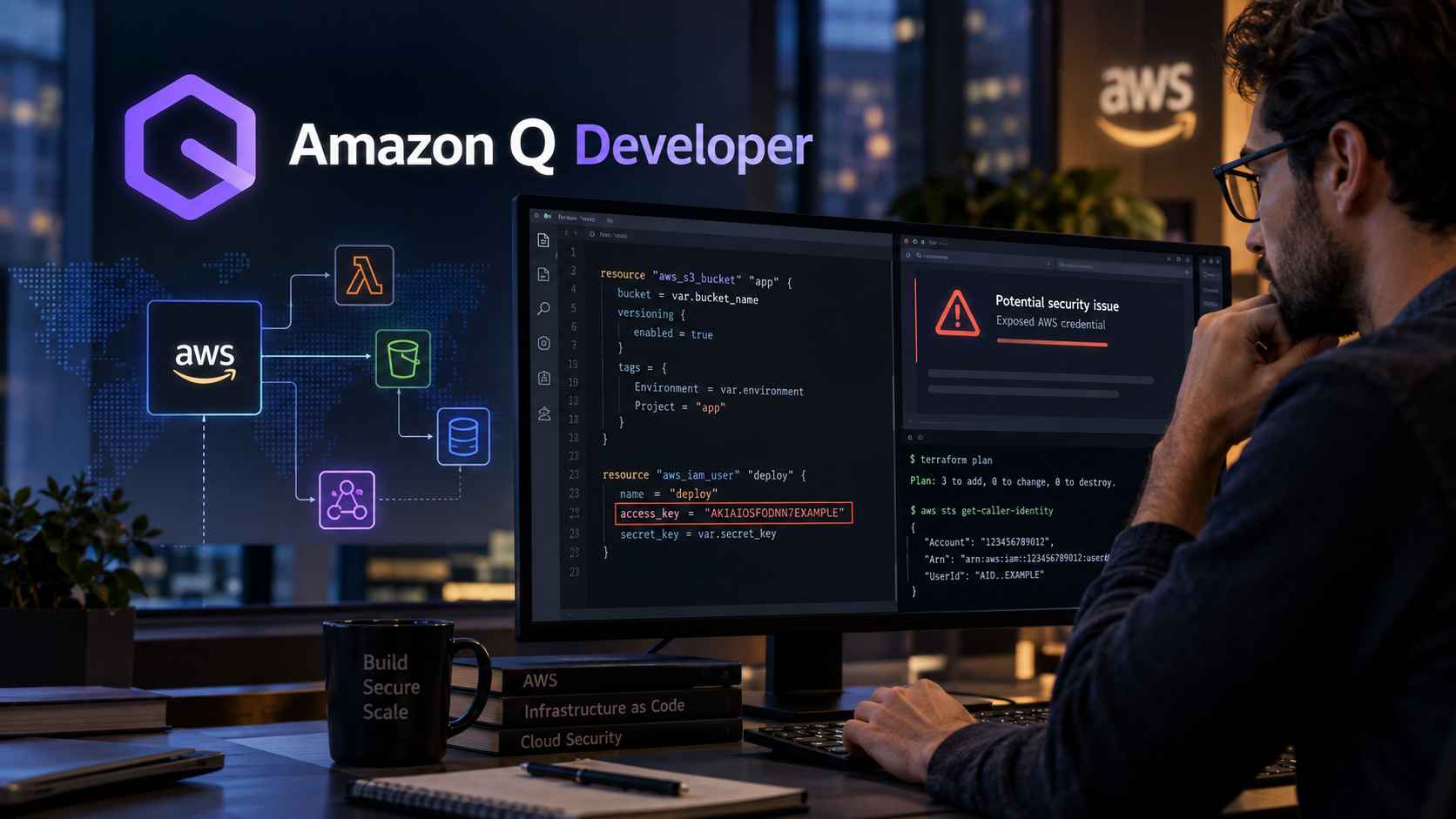
Amazon Q Developer, formerly CodeWhisperer, leans into cloud and infrastructure code. Its security-scanning feature flags exposed credentials as you write them, something most general-purpose assistants skip.
It’s a narrower tool than Copilot or Claude Code outside an AWS context. But inside one, it removes a step teams would otherwise bolt on separately.
For strict privacy or regulated environments: Tabnine

Tabnine can run entirely on your own infrastructure, with no code leaving the network.
That matters more than raw suggestion quality for banks, healthcare providers, and defense contractors. A compliance team will block a cloud assistant regardless of how well it performs.
For students and beginners: Cursor or GitHub Copilot
New developers benefit most from a tool that explains a suggestion rather than only offering one.
Free tiers on Copilot are available to students and open-source maintainers, and on Cursor, you can compare suggestions before paying for either. Gemini Code Assist’s generous free allowance is worth trying if you’re already inside Google Cloud coursework.
Quick Comparison Table So You Can Get a Better Idea
| Tool | Best For | Type | Typical Price |
| GitHub Copilot | Everyday completion, GitHub teams | Assistant with agent mode | Free tier, Business ~$19/user/mo |
| Claude Code | Deep debugging, multi-file agent work | Agent | Free tier, Pro from ~$20/mo |
| Cursor | AI-first editor, fast iteration | Assistant with agent mode | Free tier, paid from ~$20/mo |
| Sourcegraph Cody | Large or unfamiliar codebases | Repo-aware assistant | Free tier, enterprise pricing |
| Amazon Q Developer | AWS-heavy workflows | Cloud assistant | Free tier, Pro ~$19/user/mo |
| Tabnine | Privacy and on-prem needs | Assistant | Paid from ~$39/user/mo annually |
Note: Pricing shifts frequently. Confirm current tiers directly on each vendor’s site before budgeting.
How to Actually Evaluate One Before You Commit
Skip the demo video. Run this instead, using a real task from your own backlog.
- Give it a genuinely messy, real bug from your tracker. Not a toy example. Time how long verification takes, not just the code generation.
- Check whether it explains its reasoning or just hands you a diff. Explanations are what let a reviewer catch a wrong assumption before it ships.
- Test it on your actual repository structure. Not a fresh scaffold. Context handling looks very different on a 50,000-line monorepo than a tutorial project.
- Confirm where your code goes. Ask directly whether prompts or repository content are used for model training. Get that answer in writing if the tool will touch proprietary code.
- Track acceptance versus rework over two real weeks. Not two hours. A tool that produces fast first drafts you spend longer fixing isn’t actually saving time.
None of these five checks are optional if your team plans to rely on a tool past a trial period. Skipping the reasoning check in particular is how organizations end up with the exact pattern Stack Overflow’s survey describes, rising usage next to falling trust.
Quick Answers to Common Questions
Best for beginners?
GitHub Copilot (free with student verification) or Cursor (free tier)
Most accurate?
Claude Code for complex tasks; Copilot for simple completions
Free options?
Amazon Q Developer, Gemini Code Assist, Copilot for students
Will AI replace programmers?
No, it’s a productivity tool, not a replacement
Which has the best privacy?
Tabnine (on-prem deployment) or Sourcegraph Cody (self-hosted options)
Frequently Asked Questions
What’s the difference between an AI coding assistant and an AI coding agent?
An Assistant reacts to you inside the editor. It suggests completions and answers questions as you work. You stay in control of every decision.
An Agent works from a stated goal. You give it a task; say, “refactor this authentication module”, and it plans changes across multiple files, runs tests, and returns a diff for your review.
Think of the assistant as a helpful pair-programmer. The agent is more like a junior developer you’d assign a ticket to. Both have their place, but they solve different problems.
Is GitHub Copilot still worth it in 2026?
For most individual developers and GitHub-centered teams, yes. The inline suggestions are still fast and reliable. Agent Mode now handles more repo-level tasks than earlier versions.
That said, power users doing complex multi-file reasoning often reach for Claude Code alongside it. It’s not an either-or decision for many developers; Copilot handles the day-to-day, and Claude Code steps in when things get genuinely difficult.
Which AI coding assistant is actually free?
Amazon Q Developer’s individual tier and Gemini Code Assist’s free tier are both usable without payment. GitHub Copilot is free for verified students and maintainers of popular open-source projects. Most other tools offer a limited free trial rather than an ongoing free plan. If you’re on a tight budget, start with the free options and add a paid tool only once you identify a specific gap they fill.
Can I trust AI-generated code without reviewing it?
No. Stack Overflow’s 2025 survey found that developers who use AI tools most often are also the ones distrusting their output most. Why?
Heavier use surfaces more edge cases where the tool gets things wrong. Treat any AI-generated change as a draft that needs the same review you’d give a junior teammate’s pull request. Code that looks right at first glance can hide subtle bugs that cost hours to find later.
What’s the best AI coding assistant for a solo developer on a budget?
Start with whichever free tier matches your primary language and editor. That might be Copilot if you’re a student, or Amazon Q Developer if you’re in AWS. Once you’ve used that for a few weeks, you’ll know what’s missing.
Then add a single paid tool that fills that specific gap, rather than subscribing to several overlapping tools. Most solo devs find one assistant and one agent-style tool is plenty.