Strange App Names on Android: System Apps and content:// Addresses Explained
Quick answer: Android phones contain many built-in apps and internal addresses with technical names, such as com.android.cts.priv.ctsshim or content://com.android.browser.home/. Most are normal parts of Android or of your phone maker’s software. A name looks suspicious only when it comes with other warning signs, such as an app you did not install, unexpected pop-ups, or high battery or data use. This guide explains how to read these names and links to our detailed guides for the most common ones.
Why phones show strange app names
Every Android app has a package name, a unique ID written like a reversed web address. Google, phone makers and app developers all use this format:
com.android...– part of Android itself, from the Android Open Source Project.com.google.android...– Google apps and services.com.samsung...,com.sec...– Samsung software on Galaxy phones.- Other prefixes – usually the developer of an app you or your phone maker installed.
You normally see the friendly app name, such as “Finder”. The package name appears in battery reports, permission lists, security scans and developer tools, which is why it can look alarming.
What does a content:// address mean?
An address that starts with content:// is not a website. Android uses these “content URIs” to point to data inside an app on your phone, such as a file, a contact or a cached page. The part after content:// names the app component that owns the data. If one opens in your browser, an app on the phone asked the browser to show its own content.
Guides to common names
| Name you see | What it is | Safe? | Guide |
|---|---|---|---|
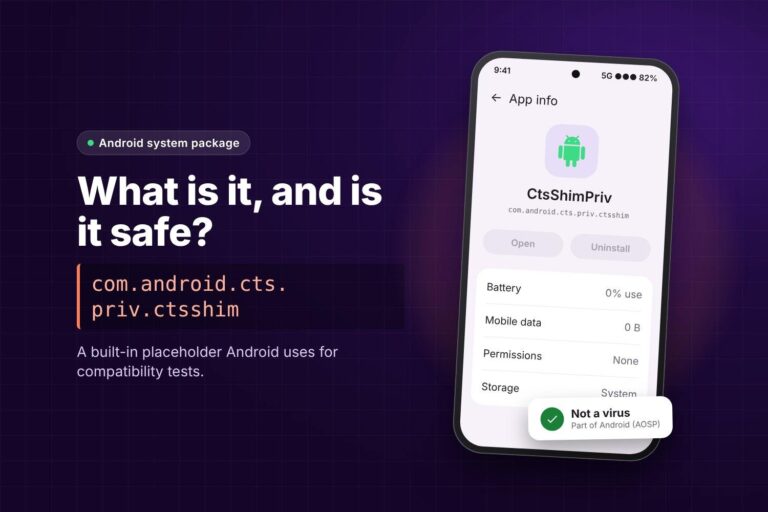
com.android.cts.priv.ctsshim |
Empty Android package used for compatibility tests | Yes | What is com.android.cts.priv.ctsshim? |
content://com.android.browser.home/ |
Old Android Browser “Most visited” home page | Yes | What is content://com.android.browser.home/? |
com.samsung.android.app.galaxyfinder |
Samsung’s Finder phone search | Yes | Finder vs Samsung Find |
content://cz.mobilesoft.appblock.fileprovider/cache/blank.html |
Blank page from the AppBlock blocking app | Yes | How to fix the AppBlock blank.html page |
We add new guides here as we publish them.
How to check any unfamiliar app on your phone
- Open Settings, then Apps.
- Open the filter or menu and choose Show system apps. The wording differs by brand.
- Search for the name and open the app’s info page.
- Check the Battery, Mobile data and Permissions sections, and look for an Uninstall or Disable button.
- Search the full package name, not just the friendly name, to see what it belongs to.
Signs that something is actually wrong
- An app you do not remember installing, especially one with a generic name and no clear developer.
- Adverts or pop-ups that appear outside apps, or a browser home page that keeps changing.
- Battery or data use far above normal from an app you rarely open.
- Requests for Accessibility or Device admin access from an app that has no reason to need them.
If you see these signs, make sure Google Play Protect is on (Play Store, profile icon, Play Protect, Settings, “Scan apps with Play Protect”) and remove apps you did not install. A technical-looking system name on its own is not one of these signs.
Should you disable system apps?
Usually not. Built-in packages often support other features, and removing them with tools such as ADB can break search, updates or settings. Many come back after a system update anyway. If an app only bothers you visually, hide it or turn off its notifications instead.
Related guides
For browser and app cache problems, see how to clear Facebook cache on Android, iPhone and browsers.
Frequently asked questions
Are apps that start with com.android safe?
Packages under com.android come from Android itself and are normally safe. Check the developer on the app info page if you are unsure.
Why does a content:// link open in my browser?
An app on your phone asked the browser to show one of its own pages or files. It is not a website on the internet.
Can I delete system apps?
Most cannot be removed from normal Settings. Hiding or disabling notifications is safer than removing them with ADB.
How do I find an app’s package name?
On many phones it appears at the bottom of the app info page, or in the Play Store link for the app.
Sources
- Android Developers: Content provider basics
- Android Developers: Set the application ID
- Google Play Help: Use Google Play Protect